
In today’s digital world, UX (User Experience) design is more important than ever. Companies are increasingly prioritizing user-friendly interfaces and seamless experiences, making UX design a key skill for those interested in tech. If you’re considering a career in this field but have no prior design experience, the Google UX Design Certificate offers an accessible and affordable way to get started.
This course, available through Coursera, is designed for beginners. It covers everything you need to know about UX design, from foundational principles to advanced skills like prototyping and using industry-standard tools.
The course is self-paced, which means you can learn at your own speed, making it ideal for those with other commitments. By the end of the program, you’ll have a portfolio of hands-on projects to showcase your skills to potential employers.
While the Google UX Design Certificate is not a fast track to landing a job (it doesn’t offer job placement guarantees), it provides a strong foundation in UX design, equipping you with the skills necessary to pursue a career in this field. With guidance from industry professionals, practical assignments, and access to tools like Figma, the certificate can help boost your resume and set you on the path to success in the growing UX design industry.
In this review, we’ll take an in-depth look at what the certificate offers, the pros and cons, and whether it’s worth your investment.
What is the Google UX Design Certificate?
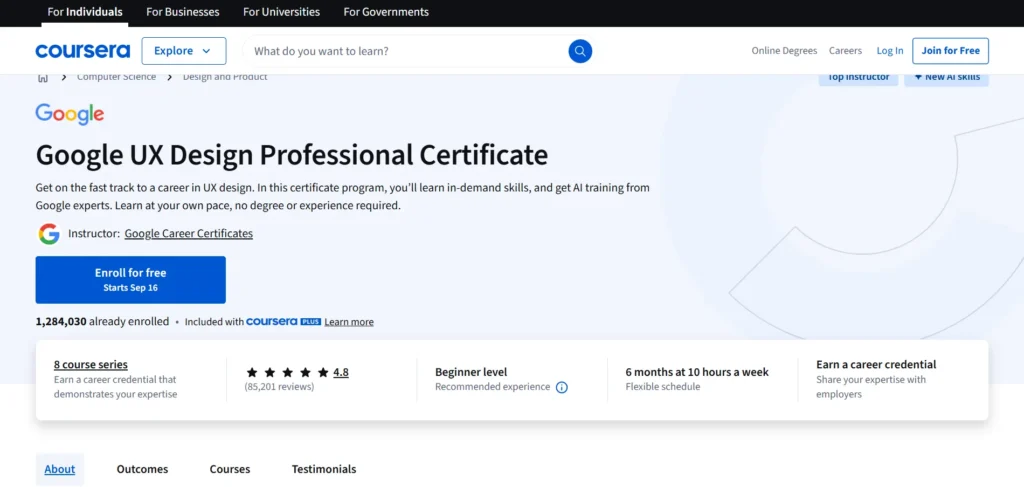
The Google UX Design Certificate is an online program offered through Coursera that aims to teach beginners the fundamentals of UX design. The course spans approximately six months of self-paced learning and covers everything from research to prototyping, using industry-standard tools like Figma. Upon completion, you earn a certificate that could open the door to job opportunities in the UX field.
What sets this course apart is that it’s designed with complete beginners in mind. No prior design experience is required, making it an excellent choice for anyone interested in UX design but unsure where to begin.
Who is the Google UX Design Certificate For?

This course is primarily for people who want to break into UX design without prior experience. If you’re interested in creating user-friendly digital experiences and are willing to put in the work, this certificate could be a solid stepping stone for you. The course is perfect for:
- Career changers looking to switch to UX design.
- Students wanting to add practical skills to their portfolio.
- Freelancers or entrepreneurs building apps or websites.
- Anyone interested in learning the design thinking process.
In short, it’s for anyone who is eager to dive into UX design but doesn’t have a background in the field.
What’s Included in the Google UX Design Certificate?
The Google UX Design Certificate is divided into seven courses, each focusing on a different aspect of UX design. Here’s a breakdown of what’s covered:
1. Foundations of User Experience (UX) Design
This first course introduces the basics of UX design, explaining what it is and why it matters. You’ll learn about the design process, user-centered design, and the key principles that guide effective user experiences. By the end, you’ll understand the importance of putting users at the center of design work.
2. Start the UX Design Process: Empathize, Define, and Ideate
In this course, you’ll dive deeper into the early stages of the design process. You’ll learn how to empathize with users, define problems, and ideate solutions. This course introduces core UX research methods like user interviews and persona creation, which will help you start thinking from a user-first perspective.
3. Build Wireframes and Low-Fidelity Prototypes
Here, you’ll get hands-on with wireframing and creating low-fidelity prototypes. These basic designs allow you to map out and test ideas quickly before diving into high-fidelity versions. This course also emphasizes the importance of testing and iterating designs.
4. Conduct UX Research and Test Early Concepts
Testing is a critical part of the UX design process. This course teaches you how to conduct usability tests and gather feedback on your early concepts. You’ll learn how to identify pain points, refine your designs, and improve the overall user experience through iteration.
5. Create High-Fidelity Designs and Prototypes in Figma
Figma, a popular design tool, is introduced here. You’ll learn to create polished, high-fidelity designs that are closer to the final product. You’ll also explore Figma’s collaborative features, which are essential in the modern UX design workspace.
6. Responsive Web Design in Figma
This course focuses on designing for various screen sizes, such as desktop, tablet, and mobile. You’ll learn how to make your designs responsive, ensuring a seamless user experience across different devices and platforms.
7. Design a User Experience for Social Good & Prepare for Jobs
The final course encourages you to apply your skills to create a meaningful project. You’ll work on a project that serves a social good, like designing an app to help a non-profit or creating a website for a cause. The course also offers job preparation resources, helping you refine your portfolio and get ready for the job market.
Pricing Plans
Here’s a pricing table for the Google UX Design Certificate on Coursera:
| Pricing Plan | Cost | Details |
|---|---|---|
| Monthly Subscription | $49 per month | You pay monthly, and you can cancel anytime. The total cost depends on how long it takes you to finish. Typically, it takes about 6 months (around $294). |
| 7-Day Free Trial | Free | You can try the course for 7 days without any charge to see if it’s the right fit for you. |
| Financial Aid | Free | Coursera offers financial aid for those who qualify. Apply through the course page for assistance. |
Pros of the Google UX Design Certificate
1. Beginner-Friendly
One of the biggest advantages of this certificate is its accessibility to beginners. The program starts with the basics and gradually builds up, so even if you’ve never heard of UX design before, you won’t feel overwhelmed. The content is broken down into digestible chunks, making it easy to follow.
2. Hands-On Projects
Each course in the program is built around practical, real-world projects. By the end of the course, you’ll have a portfolio of work that you can showcase to potential employers. This hands-on approach helps you solidify your learning and gives you something tangible to add to your resume.
3. Industry-Relevant Tools
The course introduces tools that are widely used in the UX design field, such as Figma. Learning how to use these tools gives you an edge when applying for jobs, as it demonstrates that you’re familiar with the design software that employers are looking for.
4. Affordable and Flexible
At $39 per month, the Google UX Design Certificate is relatively affordable compared to other UX design programs, especially when you consider that many alternatives can cost thousands of dollars. Plus, the course is self-paced, meaning you can fit it around your schedule and take as much time as you need to complete it.
5. Google Brand Recognition
Earning a certificate from Google adds value to your resume. The Google name is widely recognized and respected, so it can help you stand out to potential employers, even though it’s an online certificate.
Cons of the Google UX Design Certificate
1. Limited Mentorship
While the Google UX Design Certificate offers some support in the form of discussion forums and community groups, it lacks personalized mentorship. If you’re someone who thrives on one-on-one guidance or direct feedback from an expert, this could be a drawback.
2. No Job Guarantee
While the course provides job preparation resources, there is no guarantee of employment upon completion. The certificate is a great foundation, but like any online course, success depends largely on your personal effort, networking, and how well you apply the skills you’ve learned.
3. Self-Paced Learning Can Be Challenging
For some learners, the self-paced nature of the course can be both a pro and a con. Without a set schedule, it’s easy to lose motivation or fall behind. If you’re someone who prefers a structured learning environment or accountability, you might find this aspect of the course challenging.
Conclusion: Is the Google UX Design Certificate Worth It?
Overall, the Google UX Design Certificate offers an excellent value for beginners interested in pursuing a career in UX design. It’s affordable, flexible, and provides hands-on experience with industry-standard tools. While it’s not perfect—it lacks personalized mentorship and job guarantees—it’s a solid introduction to the world of UX design and can serve as a stepping stone for those looking to build a career in the field.
If you’re ready to invest the time and effort, the Google UX Design Certificate is a great way to get started on your UX journey, even if you have no prior experience.
FAQs
How long does it take to complete the Google UX Design Certificate?
It typically takes about six months to complete at a pace of 10 hours per week.
Is the Google UX Design Certificate worth the price?
Yes, especially considering the practical projects and industry-recognized tools. At $39 per month, it’s one of the more affordable options in UX education.
Do I need prior experience in design to take this course?
No, the course is designed for beginners, so you don’t need any prior design experience.
Will I get a job after completing the course?
The course provides job preparation resources, but there is no job guarantee. Success depends on your effort and networking.
What tools will I learn to use in the course?
The course focuses on Figma, a popular UX design tool, and covers other industry-relevant software and techniques.